
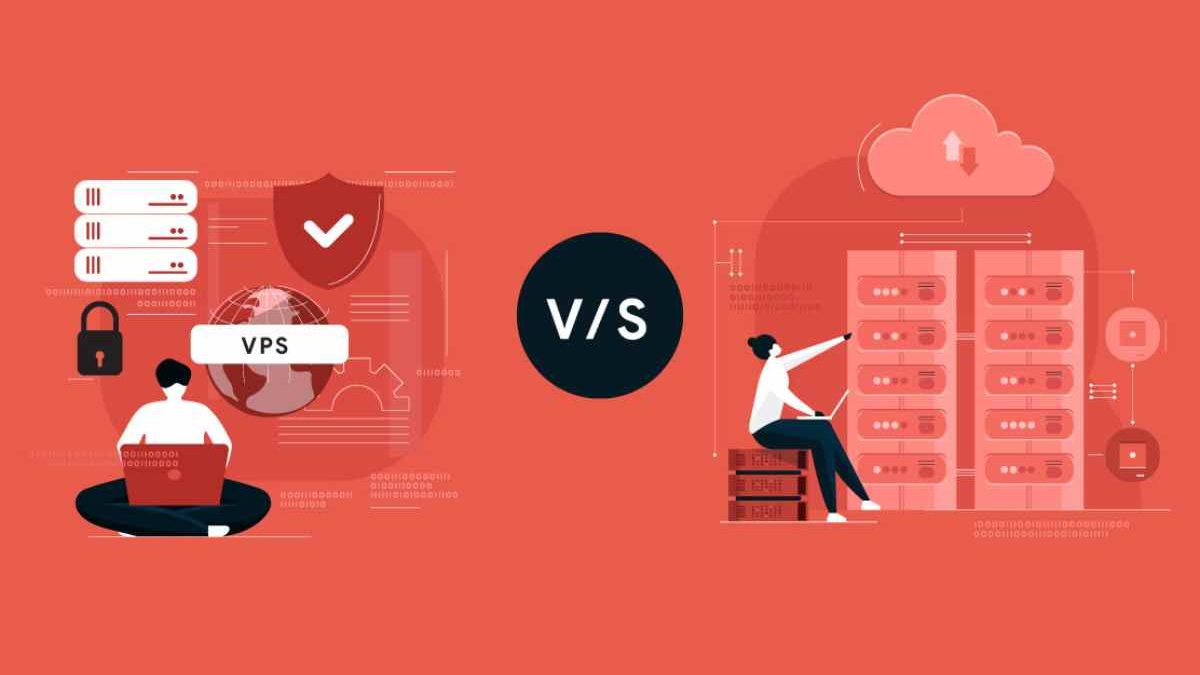
VPS vs. Dedicated Hosting – In both hosting models, the client has an independent machine where they can install any operating system, programs, languages, libraries, etc. The fundamental difference is that in VPS, it is a virtual machine, while in Dedicated Servers, it is a physical machine.
Table of Contents
What is VPS Hosting?
VPS Hosting (Virtual Private Server Hosting) is a type of web hosting where a single physical server is divided into multiple virtual servers, and each virtual server works like an independent, dedicated server.
Even though the hardware is shared, your VPS has its own allocated CPU, RAM, storage, and operating system, giving you far more control and performance than shared hosting.
How VPS Hosting Works?
| Step | What Happens | Simple Explanation |
| 1 | Physical Server | A powerful physical server is set up in a data center. |
| 2 | Virtualization | Virtualization software (hypervisor) divides the server into multiple virtual servers. |
| 3 | VPS Creation | Each virtual server becomes an independent VPS with its own OS, CPU, RAM, and storage. |
| 4 | Resource Allocation | Specific resources are dedicated to each VPS, so performance stays stable. |
| 5 | Independent Operation | Each VPS runs separately—other users can’t access or affect your server. |
| 6 | User Access | You get root/admin access to manage files, software, and settings. |
| 7 | Hosting Websites/Apps | You host websites, databases, or applications just like on a real server. |
| 8 | Scalability | Resources (RAM, CPU, storage) can be increased as your needs grow. |
Key Benefits of VPS Hosting
| Benefit | What It Means | Why It’s Useful |
| Dedicated Resources | Fixed CPU, RAM, and storage | Better performance and no slowdowns from other users |
| Full Control | Root/admin access | Install custom software and configure the server freely |
| Better Performance | Fewer users per server | Faster loading times and smoother apps |
| Improved Security | Isolated virtual environment | Problems on other VPSs won’t affect yours |
| Scalability | Easy resource upgrades | Grow your website or app without moving servers |
| Cost-Effective | Cheaper than dedicated servers | Get strong performance at a lower cost |
| Reliability | Stable server environment | Less downtime compared to shared hosting |
| Custom Configuration | Choose OS and settings | Perfect for developers and advanced projects |
VPS Hosting vs Other Hosting Types
| Hosting Type | Performance | Cost | Control | Best For |
| Shared Hosting | Low | Cheapest | Very limited | Small blogs |
| VPS Hosting | Medium–High | Affordable | High | Growing websites, apps |
| Dedicated Server | Very High | Expensive | Full control | Enterprises |
What is Dedicated Hosting?
Dedicated hosting is a type of web hosting where an entire physical server is rented to a single user or organization. Unlike shared or VPS hosting, all server resources—CPU, RAM, storage, and bandwidth—are exclusively yours. No other websites or applications share the hardware.
What makes Dedicated Hosting different?
- You get full control over the server (OS, software, security settings).
- Performance is consistent and high because resources aren’t shared.
- Security is stronger since there are no neighboring users on the same machine.
- It’s ideal for high-traffic websites, large databases, enterprise apps, and compliance-heavy workloads.
How it works (simple explanation)
A hosting provider sets up a physical server in a data center and allocates it entirely to you. You can choose:
- Managed dedicated hosting (the provider handles updates, security, monitoring)
- Unmanaged dedicated hosting (you manage everything yourself)
When to go From a VPS to a Dedicated Server?
As we have said, a VPS can be more than enough for most web projects. However, to the extent that more traffic is obtain, more domains need to host, or processing requires an increase; it may become limited. In general, VPSs work very well in projects where the processing needs are not very high, but not so much when the applications have to perform complex calculations. Therefore, the Dedicated ones can extract better performance, even at a comparable amount of resources.
VPS hosting guides do not advocate for choices involving big databases or hosting many weighty files. Actually, VPS is generally less used than dedicated storage space.
We can monitor the status of resources in real-time through the server management control panel. When should we move from VPS to a more robust VPS or to a Dedicated Server? This tool will offer us valuable information to know the server’s status. For example, if we find prolonged periods in which an occupation of more than 80% of the server’s resources maintain. We can deduce that the time for a migration is coming.
It is essential to do a preliminary analysis of the needs expected to be covered in the projects after the migration process between servers. It is necessary because VPS and Dedicated, unlike Cloud Servers, do not quickly increase computing capacities. So migration would be required if the server falls short.
Since migrations are especially laborious when many domains have to move from one server to another. We recommend that we expect a lot of variation in requirements, and therefore, we consider starting directly on a Cloud Server with the minimum configuration. Since we can always increase your resources without migrating machines.
Differences Between a VPS Server and Dedicated Hosting
Here’s a side-by-side comparison table that highlights the key differences between VPS (Virtual Private Server) hosting and Dedicated Server hosting, including pros, cons, pricing ranges, performance, and real-world insights from expert sources.
| Aspect | VPS Hosting | Dedicated Hosting |
| Definition | A virtual server running on shared physical hardware; isolated environment. | An entire physical server dedicated to one user. |
| Resource Allocation | Shares hardware with other VPS instances; gives guaranteed but virtualized resources. | Exclusive access to all CPU, RAM, storage, and bandwidth. |
| Performance | Good performance for medium workloads; may vary based on hypervisor and neighbor activity. | Consistently high performance, ideal for resource-intensive applications. |
| Cost (Typical Monthly) | $20 – $100+ (basic plans) up to ~$150+ for high-end VPS. | $100 – $500+ or more per month depending on hardware and service level. |
| Scalability | Highly scalable; faster upgrades via control panel (more RAM, CPUs, storage). | Scalability requires hardware changes or migration; slower and more complex. |
| Setup Time | Very quick (minutes to hours). | Longer (hours to days) based on configuration. |
| Security | Isolated virtual environment, secure but underlying hardware is shared. | Maximum security and isolation — no shared hardware. |
| Control & Customization | Root access and OS flexibility; limited hardware control. | Full hardware & software control; install custom drivers, security stacks. |
| Best For | Small-to-medium business sites, testing, moderate traffic, development environments. | High-traffic enterprise sites, large applications, databases, compliance-critical workloads. |
| Maintenance | Easier, often with managed options; less sysadmin demand. | Requires more sysadmin expertise; managed services are costly. |
| Reliability & Uptime | Good but tied to host server’s health. | Superior — no neighbors, dedicated hardware ensures stable uptime. |
| Compliance & Use Cases | OK for many apps; not ideal for strict compliance like HIPAA, PCI. | Better suited for compliance heavy workloads and critical infrastructure. |
Pros & Cons at a Glance
| Hosting Type | Pros | Cons |
| VPS Hosting | Lower cost; easy scaling; quick setup; good balance of control & performance. | Still shares hardware; performance can vary; limited physical control. |
| Dedicated Hosting | Full hardware access; highest performance and security; best for heavy workloads. | Higher cost; longer setup; more sysadmin skill needed. |
Pricing Examples (2025–2026 Trends)
| Plan Type | Typical Monthly Price | Approx. Notes |
| Basic VPS | $20 – $50 | Good for development & small apps. |
| Mid-Range VPS | $50 – $120 | Better CPU/RAM, faster storage. |
| Entry Dedicated | $100 – $200 | Base dedicated plans with solid specs. |
| High-End Dedicated | $300 – $1000+ | Enterprise-grade hardware & managed support. |
Best Dedicated Server Hosting Providers (2025–2026)
Here’s a comparison table showing some of the top dedicated server hosting providers in 2025–2026, along with key features, pricing, and what they’re best known for. This helps you easily evaluate options whether you want performance, uptime, support, or value.
| Provider | Best For | Starting Price (Approx.) | Key Features | Notes |
| Liquid Web | High performance & enterprise | ~$88/month | Managed/unmanaged, strong security, 100% network uptime | Premium option with excellent support and compliance options. |
| DreamHost | Reliability & ease of use | ~$165/month | 100% uptime guarantee, RAID storage, unlimited bandwidth | Great for SMBs and beginners wanting high reliability. |
| InMotion Hosting | Entry-level performance & scalability | ~$45–$89/month | Managed/unmanaged, generous bandwidth, multiple storage options | Good balance of features and pricing. |
| Hostwinds | Resources & support | ~$122/month | High uptime (99.9999%), customizable plans, 24/7 support | Strong user options for small businesses. |
| HostGator | 24/7 support & performance | ~$168+/month | Large RAM options, multiple CPU cores, NVMe storage | Widely known and reliable provider with strong support. |
| Bluehost | Scalable dedicated hosting | ~$?? | Fully managed, SSD/NVMe options, cPanel/WHM | Good for performance and managed services. |
| IONOS | Budget flexible & pay-as-you-go | ~$48–$100/month | Pay-per-hour pricing, strong security features | Great choice for cost-conscious users. |
| InterServer | Customization & flexibility | ~$?? | Bare-metal servers, Intel/AMD chips, storage options | Good for developers needing flexibility. |
| Vyom Cloud (India) | Regional low-latency hosting | ~$?? | Tier-III/IV data centers, proactive monitoring | Strong pick for Indian market deployments. |
Best Use Cases – VPS vs Dedicated Hosting
This table helps you quickly decide whether a VPS (Virtual Private Server) or Dedicated Server is the right choice based on specific website types, applications, traffic levels, performance needs, and budget scenarios.
Use Case / Scenario |
Recommended Hosting |
Why It’s a Good Fit |
Example |
Small Business Website |
VPS Hosting | Affordable and plenty of resources for low-to-medium traffic. | Company site with ~10–30K monthly visitors |
WordPress Blog / Personal Site |
VPS Hosting | Easy to scale; more control vs shared hosting. | Blog with modest daily traffic |
E-commerce Store (Small / Mid) |
VPS Hosting | Resources for product pages, carts, and basic transactions. | Online shop with modest sales volume |
Growing SaaS Platform |
VPS Hosting | Scalable CPU/RAM upgrades without huge cost. | SaaS with <10K users |
Game Servers |
VPS Hosting | Good resources at low price; isolated environment. | Minecraft / game communities |
Development & Staging Environments |
VPS Hosting | Quick setup, easy resets, low cost. | Multiple dev/test servers |
Medium Traffic Websites |
VPS or Dedicated (Transitional) | VPS handles growth; dedicated if nearing upper limits. | Blog with 100K+ monthly visitors |
High-Traffic Websites |
Dedicated Hosting | Dedicated resources guarantee speed. | News sites, high traffic portals |
Large E-commerce Platforms |
Dedicated Hosting | Maximum stability during peak shopping events. | Big online stores |
Enterprise Apps & Services |
Dedicated Hosting | Full hardware control and customization. | CRM, ERP, proprietary software |
High-Performance Databases |
Dedicated Hosting | Maximum I/O speed & memory capacity. | Large SQL/NoSQL clusters |
Streaming / Multimedia Services |
Dedicated Hosting | Heavy bandwidth & constant throughput. | Video/audio delivery platforms |
Compliance-Sensitive Workloads |
Dedicated Hosting | Best for strict security & compliance (PCI/HIPAA). | Healthcare, finance applications |
High-Security Requirements |
Dedicated Hosting | No shared infrastructure; strict isolation. | Secure portals & backend systems |
Custom Server Configurations |
Dedicated Hosting | Install any OS, drivers, or configs you want. | Specialized tech stacks |
Paid Ad or Lead Gen Landing Pages |
VPS Hosting | Fast spin-up for campaigns; affordable. | Short-term campaign microsites |
Proof-of-Concept / PoC Projects |
VPS Hosting | Low cost and easy iteration. | Startup MVP builds |
Multiple Client Hosting (Web Agencies) |
VPS Hosting | Segmented environments for different clients. | Web design agencies hosting client sites |
Big Data or AI Model Hosting |
Dedicated Hosting | Requires large memory/CPU with stable performance. | AI inference & backend models |
Typical Visitors / Traffic Ranges (General)
| Hosting Type | Traffic Level Best Suited |
| VPS Hosting | Up to ~100,000 monthly visitors |
| Dedicated Hosting | 100,000+ monthly visitors and high concurrency |
Performance / Resource Trend
| Hosting | CPU Power | RAM Availability | I/O Speed |
| VPS Hosting | Medium | Medium | Good |
| Dedicated Hosting | Very High | Very High | Excellent |
Budget Consideration
| Budget Range (Monthly) | Recommended Hosting |
| <$100 | VPS Hosting |
| $100–$300 | High-End VPS / Entry Dedicated |
| $300+ | Dedicated Hosting |
Sources / Industry Context
The distinctions above reflect widely accepted hosting patterns and provider guidance in 2025–2026 based on industry insights from recognized technology comparison guides and hosting resource blogs.
- VPS vs Dedicated technical overview — host.co.in comparison guide.
- Performance & scalability commentary — bitcatcha.com hosting articles.
- Compliance & security hosting factors — ionos.com digital guide.
- Dedicated hosting conditions and cost factors — dedirock.com pricing breakdown
VPS, Dedicated, or Cloud? Choosing the Right Infrastructure in 2025
The workload is evolving as we are developing AI apps, ecommerce Sites, SaaS, and more.
It is very essential to know the difference between VPS, dedicated and cloud. In 2025, server infrastructure will need to be chosen more than ever, based on traffic volumes. Performance layer, scalability and budget have also become very important.
Infrastructure Comparison Table
| Feature | VPS Hosting | Dedicated Server | Cloud Hosting |
| Resource Allocation | Shared physical server, isolated virtual resources | Entire physical server dedicated to one user | Pooled resources across multiple servers |
| Performance | Moderate & consistent | High and predictable | Highly scalable, variable |
| Scalability | Limited (manual upgrades) | Limited (hardware-based) | Excellent (auto-scale on demand) |
| Cost | Low to mid-range | Higher upfront cost | Pay-as-you-go pricing |
| Control & Customization | Moderate | Full root access & hardware control | High (depends on provider) |
| Reliability | Good | Excellent | Very high (redundancy built-in) |
| Best For | Growing websites, SaaS MVPs | High-traffic sites, databases, gaming | Dynamic apps, SaaS platforms, startups |
| Technical Skill Required | Medium | High | Medium to High |
When & How to Migrate from VPS to a Dedicated Server
A Step-by-Step Guide
Migrating from VPS to a dedicated server is a natural upgrade when performance, stability, or compliance demands increase.
Signs It’s Time to Upgrade from VPS
| Indicator | What It Means |
| High CPU or RAM usage | VPS resources are maxed out |
| Frequent slowdowns or crashes | Resource contention issues |
| Increased traffic or transactions | VPS can’t handle peak loads |
| Security or compliance requirements | Need isolated environment |
| Database or app performance bottlenecks | Requires dedicated resources |
Step-by-Step Migration Process
1: Evaluate Requirements
- CPU cores, RAM, storage, bandwidth
- Application type (eCommerce, SaaS, media)
- Compliance needs (GDPR, PCI-DSS)
2: Choose the Right Dedicated Server
- Select CPU (Intel Xeon / AMD EPYC)
- Decide on storage (NVMe SSD preferred)
- Choose managed vs unmanaged hosting
3: Prepare the New Server
- Install OS and control panel (cPanel, Plesk, or custom stack)
- Apply security updates and firewall rules
- Configure backups and monitoring
4: Migrate Data & Applications
- Transfer files, databases, and configurations
- Sync data during low-traffic hours
- Test applications thoroughly on staging
5: Switch DNS & Go Live
- Update DNS records
- Monitor performance, logs, and uptime
- Keep old VPS active temporarily as fallback
VPS vs Dedicated Hosting: Pros & Cons
| Feature | VPS Hosting – Pros | VPS Hosting – Cons | Dedicated Hosting – Pros | Dedicated Hosting – Cons |
| Cost | More affordable than dedicated servers | More expensive than shared hosting | Full hardware for one client | High monthly cost |
| Performance | Good performance with allocated resources | Resources still shared at hardware level | Maximum performance and speed | Overkill for small sites |
| Scalability | Easy to upgrade CPU, RAM, storage | Limited by host’s infrastructure | Handles very high traffic easily | Scaling often requires migration |
| Control & Customization | Root access, custom OS and software | Requires some server knowledge | Full control over hardware & OS | Needs advanced server expertise |
| Security | Better than shared hosting | Vulnerable if host isolation is weak | Highest level of security | Responsibility lies with owner |
| Reliability | Stable for mid-level traffic | Can be affected by neighbor activity | No “noisy neighbor” issue | Single-server failure risk |
| Maintenance | Managed VPS options available | Unmanaged VPS needs admin skills | Ideal for custom configurations | Maintenance is time-consuming |
| Traffic Handling | Handles moderate traffic well | Not ideal for extreme spikes | Best for very high traffic | Higher cost even at low usage |
| Setup Time | Quick provisioning | Configuration required | Enterprise-grade setup | Longer deployment time |
| Best For | Growing websites, SaaS, agencies | Not ideal for beginners | Large enterprises, big databases | Small or early-stage projects |
Quick Comparison Summary
| Aspect | VPS Hosting | Dedicated Hosting |
| Typical Price Range | $20 – $150/month | $100 – $500+/month |
| Resource Allocation | Virtualized portion of server | Entire physical server |
| Technical Skill Required | Medium | High |
| Ideal Business Size | Small to mid-size | Large enterprises |
| Performance Level | High | Very High |
When to Choose Which
| Scenario | Recommended Option |
| Budget-conscious growth | VPS Hosting |
| High traffic & heavy workloads | Dedicated Hosting |
| Need fast scalability | VPS Hosting |
| Strict compliance & security | Dedicated Hosting |
| Running large databases | Dedicated Hosting |
| Hosting multiple client sites | VPS Hosting |
Reviews & Real-World User Feedback: VPS Hosting vs Dedicated Hosting
Below is a comparison table summarizing real user experiences, common issues and praise points shared by actual hosting users (from forums like Reddit and industry articles), alongside expert perspectives. This gives a balanced look at what real people say about VPS and dedicated hosting in practice.
Aspect |
VPS Hosting – User Feedback & Reviews |
Dedicated Hosting – User Feedback & Reviews |
Performance Consistency |
Users note good but variable performance — may slow when other VPS instances on the same server consume heavy resources. Some report occasional performance dips when physical host is under load. | Users frequently praise stable and predictable performance dedicated servers offer, especially for high-traffic applications. One user found CPU tasks much faster on dedicated than on VPS. |
Cost vs Value |
Seen as excellent value for small to mid projects; affordable upgrade path from shared hosting. Users like being able to start cheap and scale. | High cost is the main complaint, but most users say the cost is justified for high performance, especially with heavy workloads. |
Ease of Setup & Management |
Many reviewers appreciate quick setup times and simpler initial deployment. Some mention that VPS is easier than dedicated for beginners. | Users say setup can take hours to days and often require sysadmin skills, which some find burdensome. |
Technical Knowledge Required |
Mixed reviews: managed VPS can be easy, but unmanaged VPS requires technical skills for security updates and troubleshooting. | Users report dedicated servers need higher technical expertise, particularly for maintenance, backups, and security. |
Security Experience |
Feedback indicates VPS good isolation and security, but occasional concerns about shared infrastructure risk (= “noisy neighbors” or rare hypervisor vulnerabilities). | Many users highlight that dedicated servers feel more secure and isolated since no physical hardware is shared, which build confidence for sensitive applications. |
Scalability Feedback |
Users love how easy it is to upgrade VPS resources (RAM/CPU) quickly, often with minimal downtime. | Feedback notes scaling dedicated servers can be more complex and slower, sometimes requiring downtime or manual hardware changes. |
Workload & Use Case Opinions |
Many users recommend VPS for development, testing, game servers, and moderate traffic sites. One Reddit user said it’s perfect for early projects and easy to transition later. | In real feedback, dedicated servers are recommended for large applications, enterprise sites, and business-critical workloads where performance and uptime truly matter. |
Overall Satisfaction |
VPS users commonly say “great for the price,” especially if you expect growth and scalability without big cost. | Dedicated users frequently conclude “worth the investment,” particularly if performance, control, and reliability are essential. |
Conclusion
Whether you choose VPS or Dedicated hosting, you can find a Dream Host plan to keep your site running at its best. Along with the differences in prices, there are several differences in the way resources manages. In addition, the hosting you’ll need will depend on the kind of site you want to run and whether you expect to need more bandwidth or data in the future.
Related Reading: Check out our guide on how to choose the right Mobile Payment Apps.