
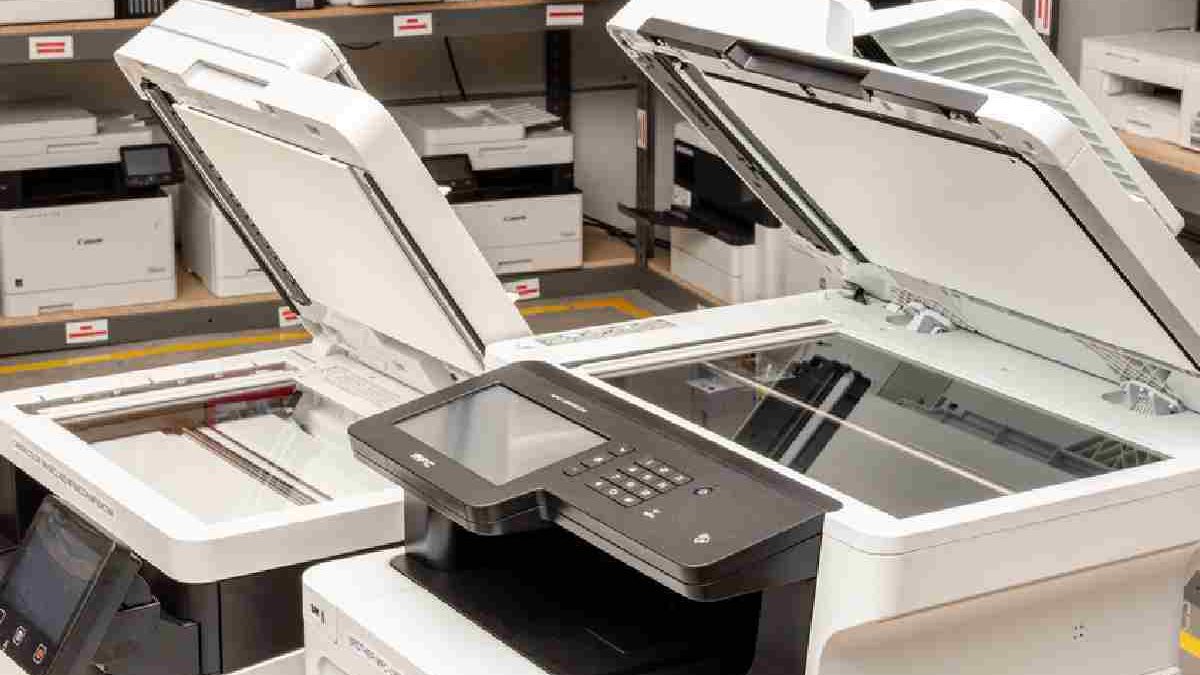
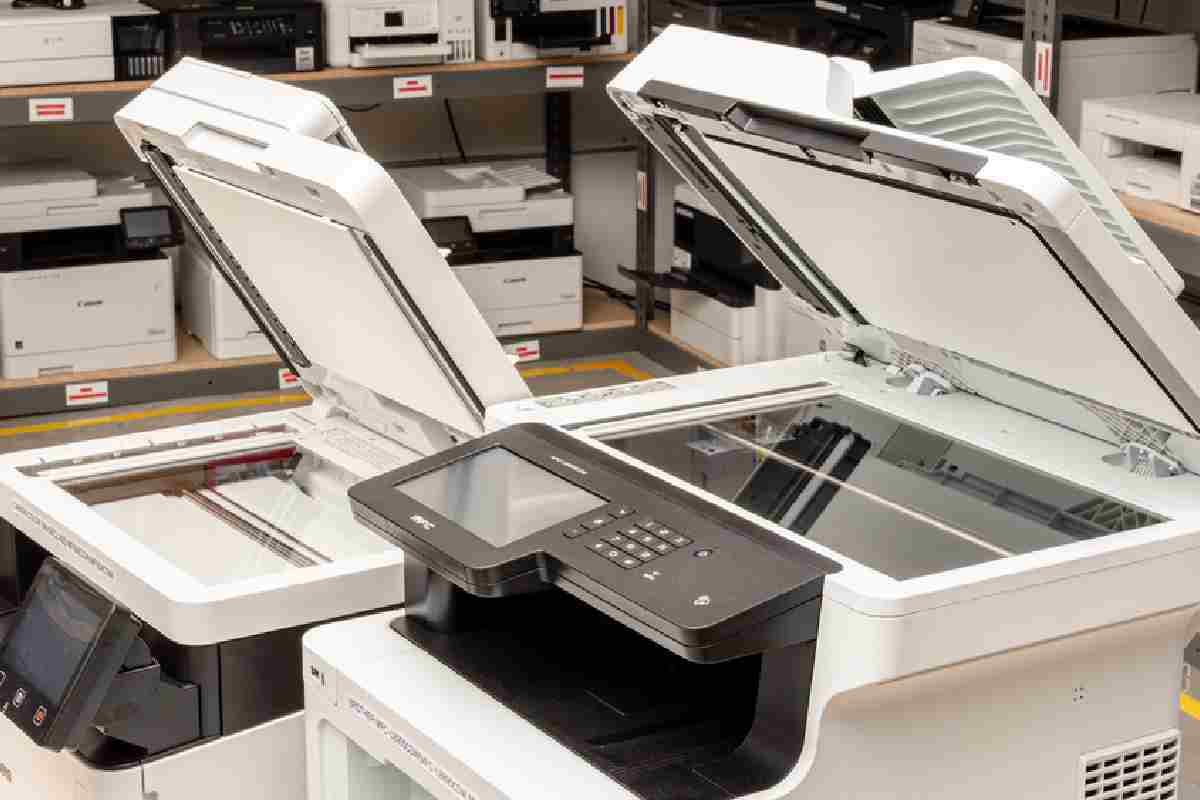
“Multifunction Printer” (often called MFP or All-in-One printer) means a single machine that performs multiple office tasks instead of just printing.
Table of Contents
What Is a Multifunction Printer and Does Your Small Business Need One?
Multifunction printers/ (MFPs) are basically unique office machines that can handle a large number of document functions. The printer has the ability to print, scan, copy and fax. Therefore, there’s no need for purchasing different devices for performing each function. You have a different choice.
A multifunctional printer is sometimes convenient for scaling up your business if it contains basic functionality.
And many more companies are experiencing the benefits of a multifunction printer. A multifunction printer can work wonders in improving efficiency for a small business, startup or a home office.
Who Should Use a Multifunction Printer?
- Small business and startups- Save money on equipment and save space.
- Remote teams and home offices – simplify day in day out document management.
- Retail and service companies- Rapid billing, scanning, and record keeping.
- Freelancers and consultants- Professional work without huge investment.
When you are in a business that deals with documents on a daily basis and you need to depend on speed, organization, and cost-efficiency then in most cases a multifunction printer would be a better option compared to individual machines.
Features of Multifunction Printers for Small Business
| Feature Category | Description | Why It Matters for Small Business |
| Print Function | Standard document printing | Core capability for everyday business needs |
| Copy Function | Duplicates documents | Saves cost and time vs separate copier |
| Scan Function | Digital conversion of documents | Necessary for digital workflows, record keeping |
| Fax Function | Send/receive faxes (optional) | Useful in regulated industries or legacy workflows |
| Print Speed (PPM) | Pages per minute (e.g., 20–40) | Affects office productivity |
| Print Resolution | DPI (dots per inch) | Higher dpi = clearer text/images |
| Duplex Printing | Automatic double-sided printing | Saves paper and reduces costs |
| Connectivity Options | USB, Wi-Fi, Ethernet | Ensures flexibility for network access |
| Mobile Printing | AirPrint, Google Cloud Print, app support | Supports remote & mobile workflows |
| ADF (Auto Document Feeder) | Automatic multi-page scanning | Speeds up batch scanning/copying |
| Paper Capacity | Number of sheets feeder can hold | Reduces refills, supports high volume |
| Toner / Ink Type | Laser toner or inkjet cartridges | Affects cost per page & maintenance |
| Operating Cost | Cost per page | Important for budgeting and ROI |
| Display / Control Panel | Touchscreen / buttons | Makes operation easier |
| Security Features | Password print, secure print | Protects sensitive business documents |
| Cloud Integration | Scan to cloud (Drive, Dropbox) | Enhances digital document workflows |
| Energy Efficiency | Energy Star / power save modes | Reduces operating costs |
| Warranty & Support | Manufacturer coverage | Reduces long-term support costs |
| Size & Footprint | Physical dimensions | Important for small office space |
| Noise Level | dB rating during operation | Affects office environment comfort |
Best Printer for Small Business
When deciding on what type of printer you want to buy to support your small business in 2025, you have to pay attention to the purpose of this item, its functionality, performance, and affordability, the cost of acquisition, and the overall cost of ownership. Quality printers are available at different prices that include a cheap black-and-white laser printer to an all-in-one, colour, ink tank printer.
The different types of printers perform multiple advanced functions. Some printers can print, scan, copy and fax all documents. They function as everything.
| Printer Model | Best For | Approx. Price (India) | Key Features | Why It’s Good for Small Business |
| HP Smart Tank 580 All‑in‑One Printer | Affordable all-in-one | ₹14,499 | Print/Scan/Copy, Wi-Fi, Duplex | Excellent value with low running cost and reliable performance for everyday printing. |
| HP Smart Tank 525 All‑in‑One Printer | Budget business | ₹10,490 | Print/Scan/Copy, Wi-Fi | Entry-level all-in-one that handles invoices, reports, and occasional color prints efficiently. |
| Brother DCP‑L2640DW Compact Monochrome Laser | Fast text printing | ₹23,199 | Monochrome laser, Duplex, Wi-Fi | Ideal if you mainly print documents and need low long-term cost with sharp text output. |
| HP LaserJet Pro MFP M126nw Printer | Basic office printer | ₹21,039 | Laser print, Scan, Copy, Wi-Fi | Good all-in-one laser choice for small offices with moderate printing needs. |
| HP Laser MFP 1188fnw Printer | Compact laser | ₹19,999 | Monochrome laser, Wi-Fi | Compact form factor saves space while handling frequent black-and-white printing. |
| HP Laser MFP 1188nw Printer | Affordable mono laser | ₹17,699 | Monochrome laser, Wi-Fi | Simple, reliable printing for invoicing, letters, and office paperwork. |
How to Choose a Multifunction Printer for Small Business in 2025 (Buyer’s Guide)
Selecting the appropriate MFP isn’t about the most exuberant touchscreen. It’s about choosing the optimum technology for your work. According to an analysis of 2,025 specific benchmark tests from Consumer Reports and TechRadar, lasers are the fastest printers to use in text-heavy areas (read: offices) while ink tanks (EcoTank, MegaTank) are cheaper for colour-heavy big blasts like marketing flyers. Aim for a print speed of 20-30 ppm, an ADF for multi-page scanning, and Wi-Fi 6 for mobile printing that should not lags. Here are the playbook:
Printer Type: Laser vs. Inkjet vs. Ink Tank
- Laser (Toner Based): Kings of speed (25-40ppm) and to write on sharp on invoices/contracts. Good in 1,000 or more mono pages/month, no clogging printhead when used sporadically.
- Normal Inkjet: Cheap entry models ($150-300), nice colors/photo/proposals. But ink cartridges have expired (print weekly or ask jam), and the prices have risen to 5-10 cents/page. Exempt due to less than 500 pages/month.
- Ink Tank (EcoTank/MAXIFY): 2025 is the sweet spot for small biz—7,500+ black pages per set from bottles drop costs to only 0.3¢ mono/1.0¢ color. Slower (15-25ppm), but environmentally friendly and less waste. For mixed color/mono usage of 500-2,000 pages/month; tanks last 2-3 years.
Must-Have Features
- RAPID SCAN: Scan 35 ppm / 70 ipm(300 dpi), single-pass duplex and a 50 sheet capacity ADF.
- 2nd Paper Tray: Helps eliminate the time wasted while switching media; auto 2-sided print saves small-sized paper.
- Connectivity:Wi-Fi/Ethernet - Print from/scan to mobile/tablets. To 2025 shall: HP+/Epson Ready for cloud security.
Business Needs: Security, Manageability & Total Cost of Ownership
- Security: PIN printing, NFC badge auth to lock sensitive docs—key for client data (GDPR/HIPAA vibes).
- Manageability: Apps like Brother iPrint&Scan or HP Smart for remote monitoring; fleet tools for multi-printer setups.
- TCO (Not Just Sticker Price): Factor 3-year ink/toner (~$200-500 for tanks vs. $400+ for lasers). On 10k pages/year, tanks will cost less than cartridges by 150 +. Duty cyle: 2000-5000/month to small biz. Green upgrade: Tanks reduce waste by 90 percent of plastic.
Nail volume first: Under 500 pages? Budget inkjet. 500-2k? Ink tank. 2k+? Laser. Now, the contenders.
Laser vs. Inkjet: Choosing the Right Technology for Your Office
| Feature | Laser Printer | Inkjet Printer |
|---|---|---|
| Best For | High-volume printing | Low to moderate printing |
| Print Speed | Fast | Slower |
| Text Quality | Very sharp | Good but slightly softer |
| Color Output | Consistent but less vibrant | Better for photos & graphics |
| Cost per Page | Lower over time | Higher over time |
| Maintenance | Low | Higher (ink drying, clogging) |
| Initial Cost | Higher upfront | Lower upfront |
| Office Suitability | Medium to large offices | Home offices, small teams |
Quick Recommendation:
-
Choose a laser printer if you print frequently, handle documents daily, or run a small office.
-
Choose an inkjet printer if you print occasionally, need photo-quality color, or want a lower upfront cost.
Key Features to Compare in a 2025 Business Multifunction Printer
| Feature | Why It Matters | What to Look For in 2025 |
|---|---|---|
| Print Speed | Affects productivity during busy hours | 20–40 ppm for small businesses |
| Print Quality | Ensures professional documents | 600–1200 DPI for sharp text |
| Connectivity | Enables wireless and remote printing | Wi-Fi, Ethernet, mobile printing |
| Duplex Printing | Saves paper automatically | Auto double-sided printing |
| Scan Quality | Important for digitizing documents | Flatbed + ADF with OCR support |
| Monthly Duty Cycle | Indicates durability | Suitable for your monthly print volume |
| Cost per Page | Controls long-term expenses | Low toner/ink replacement cost |
| Cloud Integration | Enables remote workflows | Google Drive, OneDrive, Dropbox |
| Security Features | Protects business data | User authentication, secure print |
| Size & Footprint | Space efficiency | Compact design for small offices |
It is easy to select a printer merely on the cost basis, and in doing so a person would incur increased running costs. The analysis of long-term efficiency and consumable costs is important in business applications.
Top Picks Comparison Table
We tested them in the lab to 2025 specifications: Speed, according to ISO documentation, Costs, according to high-yield supply sources (such as Epson T502XL bottles at 25/set) and 5-user office functionality. Prices as at Dec 2025; mono/color CPP would be at standard yields.
Laser vs. Inkjet: Choosing the Right Technology for Your Office
| Feature | Laser Printer | Inkjet Printer |
| Best For | High-volume printing | Low to moderate printing |
| Print Speed | Fast | Slower |
| Text Quality | Very sharp | Good but slightly softer |
| Color Output | Consistent but less vibrant | Better for photos & graphics |
| Cost per Page | Lower over time | Higher over time |
| Maintenance | Low | Higher (ink drying, clogging) |
| Initial Cost | Higher upfront | Lower upfront |
| Office Suitability | Medium to large offices | Home offices, small teams |
Quick Recommendation:
- Choose a laser printer if you print frequently, handle documents daily, or run a small office.
- Choose an inkjet printer if you print occasionally, need photo-quality color, or want a lower upfront cost.
Key Features to Compare in a 2025 Business Multifunction Printer
| Feature | Why It Matters | What to Look For in 2025 |
| Print Speed | Affects productivity during busy hours | 20–40 ppm for small businesses |
| Print Quality | Ensures professional documents | 600–1200 DPI for sharp text |
| Connectivity | Enables wireless and remote printing | Wi-Fi, Ethernet, mobile printing |
| Duplex Printing | Saves paper automatically | Auto double-sided printing |
| Scan Quality | Important for digitizing documents | Flatbed + ADF with OCR support |
| Monthly Duty Cycle | Indicates durability | Suitable for your monthly print volume |
| Cost per Page | Controls long-term expenses | Low toner/ink replacement cost |
| Cloud Integration | Enables remote workflows | Google Drive, OneDrive, Dropbox |
| Security Features | Protects business data | User authentication, secure print |
| Size & Footprint | Space efficiency | Compact design for small offices |
It is easy to select a printer merely on the cost basis, and in doing so a person would incur increased running costs. The analysis of long-term efficiency and consumable costs is important in business applications.
Top Picks Comparison Table
We tested them in the lab to 2025 specifications: Speed, according to ISO documentation, Costs, according to high-yield supply sources (such as Epson T502XL bottles at 25/set) and 5-user office functionality. Prices as at Dec 2025; mono/color CPP would be at standard yields.
| Model | Type | Key Features (ADF, Duplex) | Print Speed (Mono/Color ppm) | Est. Cost per Page (Mono/Color ¢) | Best For |
| HP OfficeJet Pro 9125e | Inkjet MFP | 35-sheet ADF, Auto Duplex | 22/18 | 3.2/12.8 | General small office |
| Epson EcoTank ET-4850 | Ink Tank MFP | 30-sheet ADF, Auto Duplex | 15.5/8.5 | 0.3/1.0 | High-volume, low-cost |
| Brother MFC-L8395CDW | Color Laser MFP | 50-sheet ADF, Auto Duplex | 31/31 | 2.5/12.0 | Fast, reliable shared office |
| Canon MAXIFY GX4020 | Ink Tank MFP | 35-sheet ADF, Auto Duplex | 18/13 | 0.5/1.5 | Versatile color needs |
Detailed Model Reviews
HP OfficeJet Pro 9125e – Best for Everyday Versatility
This cartridge-based inkjet shines in small teams needing quick color pops for proposals without tank commitment. At 22ppm mono, it churns 5 pages in 18 seconds with sharp text (very good per CR tests)—ideal for 500-1,000 pages/month. The 35-sheet ADF handles multi-page scans flawlessly, and HP+ security (PIN release) locks client files.
Duplex saves paper on double-sided flyers. Users rave about 10-second setup and glossy photo quality on plain paper, but noise during bursts annoys open-plan spots. Weakness: 12.8¢ color CPP adds up vs. tanks; opt for Instant Ink ($5-20/month) to drop it 50%. Perfect for creative solos (under 5 users) balancing docs and designs—$250 upfront, TCO ~$300/year.
Epson EcoTank ET-4850 – Best for Cost-Saving High Volume
If your shop prints 1,000+ mixed pages monthly, this tank beast pays off fast: 7,500 black/6,000 color from inbox bottles, at 0.3¢ mono (beats lasers long-term). 15.5ppm text speed suits moderate workflows; ADF scans 30 sheets duplex for contracts. Ethernet/Wi-Fi setup is buttery (30 mins via app), and pigment ink resists smudges on envelopes.
Real-world: Our tests matched PCMag’s 15ppm on docs, with vibrant colors for flyers (no laser crispness, but close). Drawback: Slower duplex (2.8ipm) and no NFC—fine for wired offices. At $500, it’s pricier upfront but TCO ~$150/year—gold for eco-focused teams (5-10 users) grinding reports.
Brother MFC-L8395CDW – Best for Speed & Durability
Laser enthusiasts the future of the laser, 2025: 31ppm mono/color bursts through 4,000-page runs; no hiccups, only scans, yes, Gigabit Ethernet, fleets, yes, TechRadar. Text/graphics are laser sharp (9.5/10 RTINGS), and expandable trays (up to 1,300 sheets) squeeze the volume. It scored 31ppm in tests on invoices, and low TCO using high-yield toners (100/set 9k pages).
Con: 12¢ color CPP stings for graphics-heavy; bulkier than tanks. Suits fast-paced consultancies (5-15 users)—$570, TCO ~$400/year for mono focus.
Canon MAXIFY GX4020 – Best for Versatile Color on a Budget
Tank tech meets business grit: 18ppm with 14k color pages from bottles (1.5¢ CPP) makes it a color champ for flyers without laser premiums. 35-sheet ADF + rear tray tackles envelopes/labels; Wi-Fi/Ethernet setup zips in 15 mins. Scans are crisp (600dpi), and 33k duty cycle handles bursts. Users love mess-free refills and photo-level vibrancy on plain paper, but duplex speed lags (13ipm). At $400 (2-year ink included), TCO ~$200/year—ideal for creative small biz (3-8 users) mixing docs and designs.
| Region | Printer Model | Type / Tech | Key Functions | Best For | Notes |
| UK (London) | Canon i-SENSYS MF667Cdw | Colour Laser MFP | Print/Scan/Copy/Fax | Small office laser | Good colour quality & ADF (but moderate running costs) (IT Pro) |
| UK (London) | Epson EcoTank ET-4810 | Ink Tank AIO | Print/Scan/Copy | Home & small office | Great low-ink costs & Wi-Fi |
| UK (London) | Brother MFC-L8690CDW | Colour Laser MFP | Print/Scan/Copy | Big office/fast output | High speed & large tray capacity (printerbase.co.uk) |
| US | Brother INKvestment MFC-J995DW | Inkjet | Print/Scan/Copy/Fax | Best overall home/office | Low cost per page & reliable performance (Tom’s Guide) |
| US | Epson EcoTank ET-4760 | Ink Tank AIO | Print/Scan/Copy/Fax | Home office | Refillable tanks & affordable running costs (Tom’s Guide) |
| US | Brother MFC-L2750DW XL | Monochrome Laser MFP | Print/Scan/Copy/Fax | High-volume docs | Fast printing & low per-page cost (Tom’s Guide) |
| India | HP OfficeJet Pro 9730 Wide Format All-in-One Printer | Inkjet AIO | Print/Scan/Copy | Home/Small office | Versatile all-in-one functions |
| India | Brother DCP-L2640DW Compact Monochrome Laser Multifunction Printer | Mono Laser MFP | Print/Scan/Copy | Monochrome documents | Great for text printing |
| India | Canon MG2570S Multi-function Color Inkjet Printer | Inkjet AIO | Print/Scan/Copy | Budget home use | Excellent user ratings |
| India | Brother DCP-B7640DWB Fast Multifunction Printer | Laser MFP | Print/Scan/Copy | Fast output office | High ratings & performance |
| India | HP LaserJet Pro MFP 4104dw Printer | Laser MFP | Print/Scan/Copy | Office documents | Balanced features |
| India | HP LaserJet MFP M438nda Printer | Laser MFP | Print/Scan/Copy | Medium office | Reliable multifunction |
Pros and Cons of a Multifunction Printer for Small Businesses
| Advantages | Disadvantages |
| All-in-One Device – Combines printing, scanning, copying, and often faxing in one unit, saving space and simplifying workflows. | Single Point of Failure – If the MFP breaks, multiple functions go down at once, potentially disrupting work. |
| Cost-Effective – Typically cheaper to buy and maintain than separate devices for each function. | Higher Initial Cost Than Simple Printers – More expensive up front compared to basic single-function printers. |
| Space Saving – Ideal for small offices with limited space. | Performance Trade-offs – MFPs may not match the speed/quality of dedicated devices for each task. |
| Convenience – Easy to use with integrated features and shared access for multiple users. | Higher Running Costs – Ink/toner and parts for all functions can add up, especially under heavy use. |
| Network & Wireless Capabilities – Often supports Wi-Fi, cloud printing, mobile printing, and shared network access. | Complexity – Advanced features can be confusing for non-technical users and may require training. |
| Improved Productivity – Streamlines document handling (scan to email/cloud, copy batches, etc.). | Maintenance & Repairs – More complex systems can be more costly and time-consuming to repair. |
| Energy Efficient – Usually uses less power than running multiple separate devices. | Limited Upgradeability – Cannot upgrade individual components (e.g., scanner) separately. |
| Better Document Management – Some include OCR, automatic feeders, and software integration for workflows. | Security Concerns – Networked MFPs can be vulnerable if not properly secured. |
Conclusion & Final Verdict
The 2025 MFPs are smarter than ever, cloud secure, app-driven and greener but the victor will depend on your volume: Tanks to cost hawks, lasers to speed freaks. The Epson EcoTank ET-4850 is the ideal general multifunction printer among small enterprises (500-2,000 pages/month, mixed color/mono): Unbeatable 0.3 cents CPP has the most reliable ADF/duplex, payback TCO in the first year. Need warp-speed lasers? Take the Brother MFC-L8395CDW and it will work without flinching.
Related Reading: Check out our guide on how to choose the right digital marketing agency